WorkActify · ProgramsActify
1.4

When a challenge becomes a program

Adapting an existing feature to introduce five-week health programs without building an entirely new experience.

Role
UX/UI Designer
Team
Product owner and two marketers, with external developers and a business analyst
Focus
Program discovery, cards and five-week detail page
Year
2025–2026
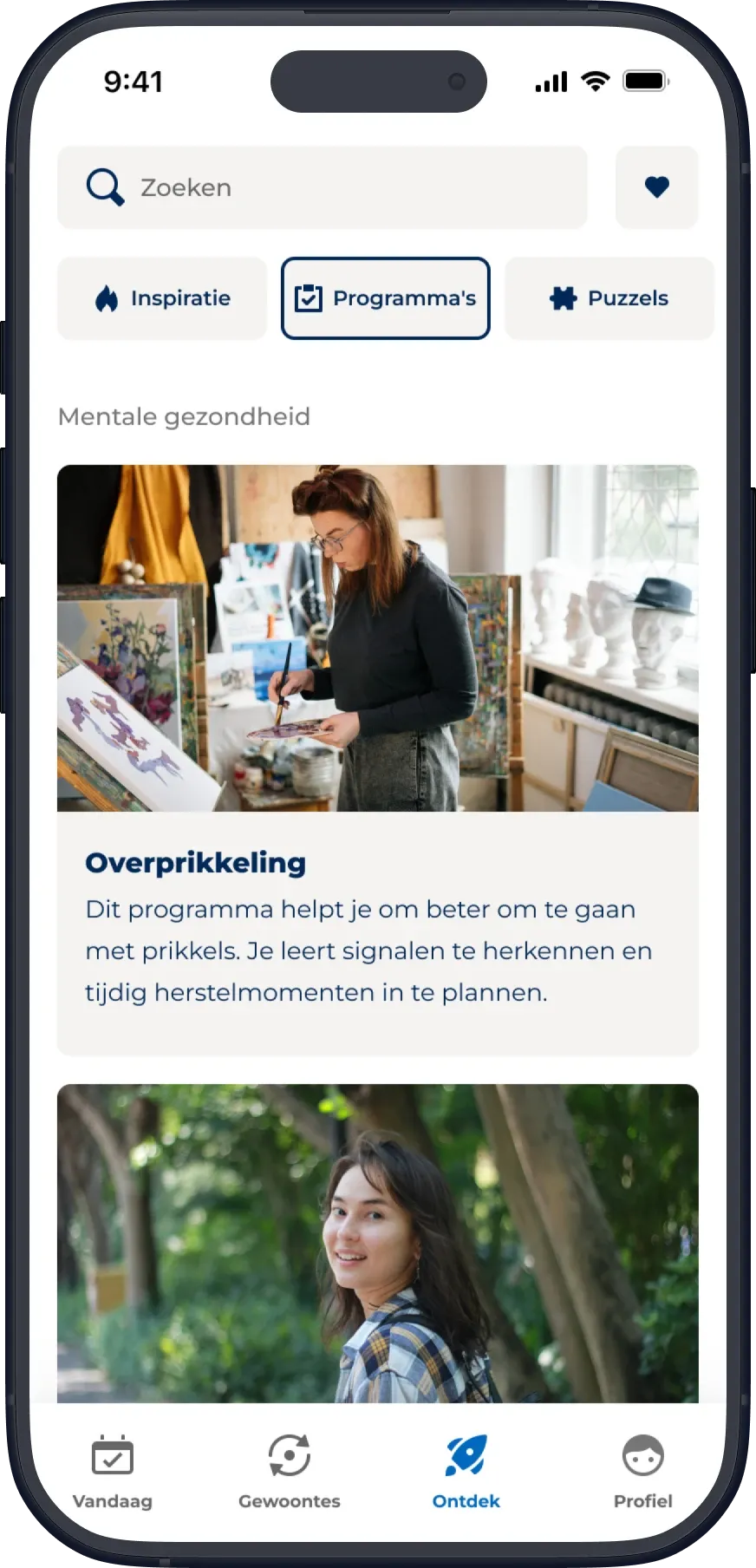
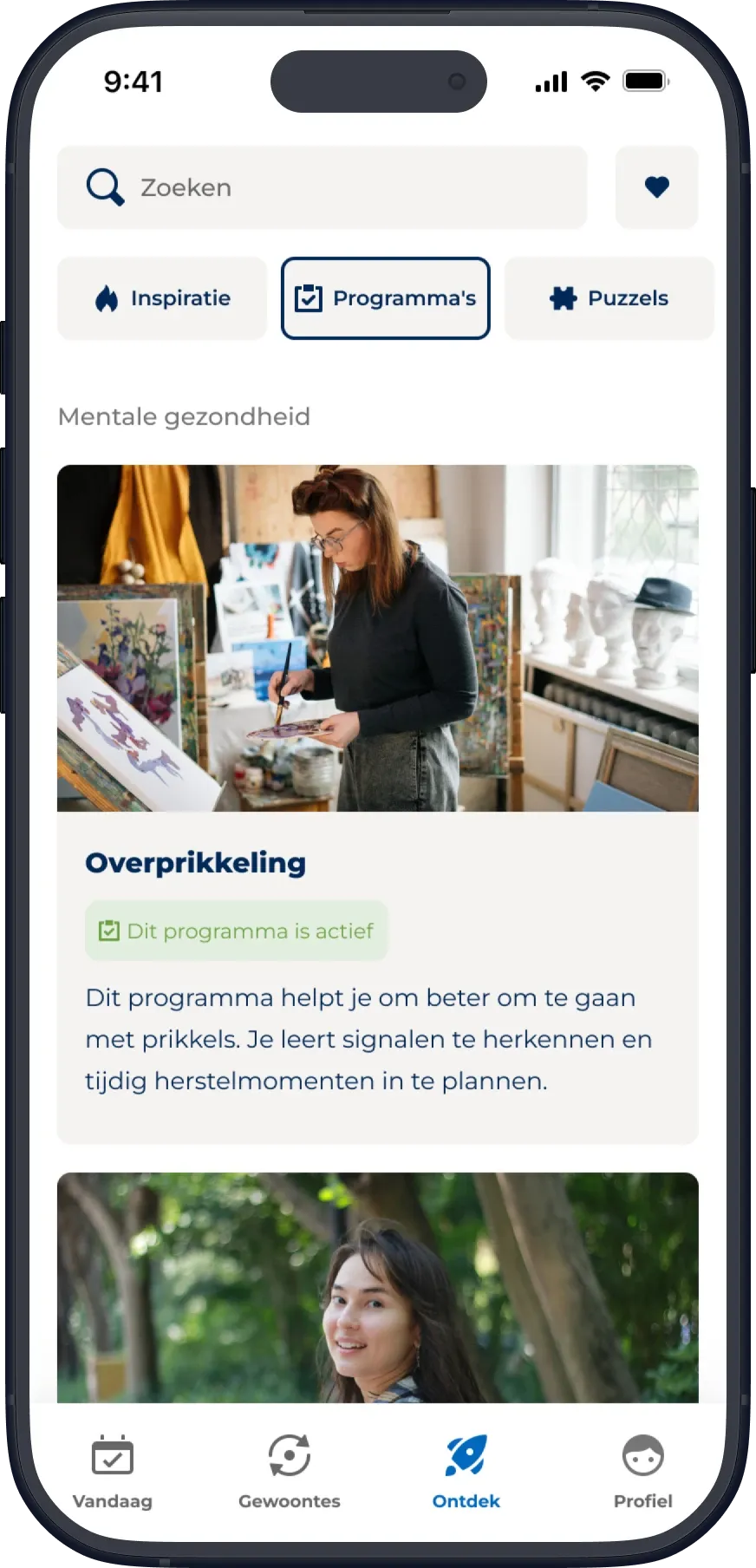
Actify Explore page with the Programma's category selected, showing the Overprikkeling program card under Mentale gezondheid.

Finding a place for programs

Actify already offered habits and challenges, but programs were intended to serve a different purpose.

Developed with subject-matter experts, the seven programs covered mental health and women's health topics. Each followed a fixed five-week structure, with activities assigned to specific days and a different theme each week.

HabitsAn existing, ongoing experience within Actify
ProgramsFixed five-week content, with a different theme each week
ChallengesThe existing framework ultimately adapted to deliver programs

The original plan was to give programs a more prominent place in Actify, similar to habits. But fitting them into the existing habit structure would have required changing how the programs worked, including their fixed five-week progression.

I raised concerns about compromising that structure, particularly because the programs addressed sensitive health topics. The team reconsidered the approach and decided against integrating programs into the habit experience.

Instead, we adapted the existing challenge framework. It was still a compromise, but it allowed us to preserve the planned five-week structure without building an entirely new experience.

Making five weeks understandable

Reusing challenges meant much of the functionality was already defined. My design work focused on making that framework communicate something different: a structured five-week program rather than a single sequence of activities.

I designed the program cards and their category on the Explore page, as well as a redesigned program detail page.

A · Discovering programs
  1. Programs category. Programs have their own category on the Explore page.
  2. Program cards. Each program is presented as a card.
  3. Active label. An active label distinguishes the program the user is following.
Actify Explore page with the Programma's category selected, showing the Overprikkeling program card under Mentale gezondheid.
Explore, with the Programs category.

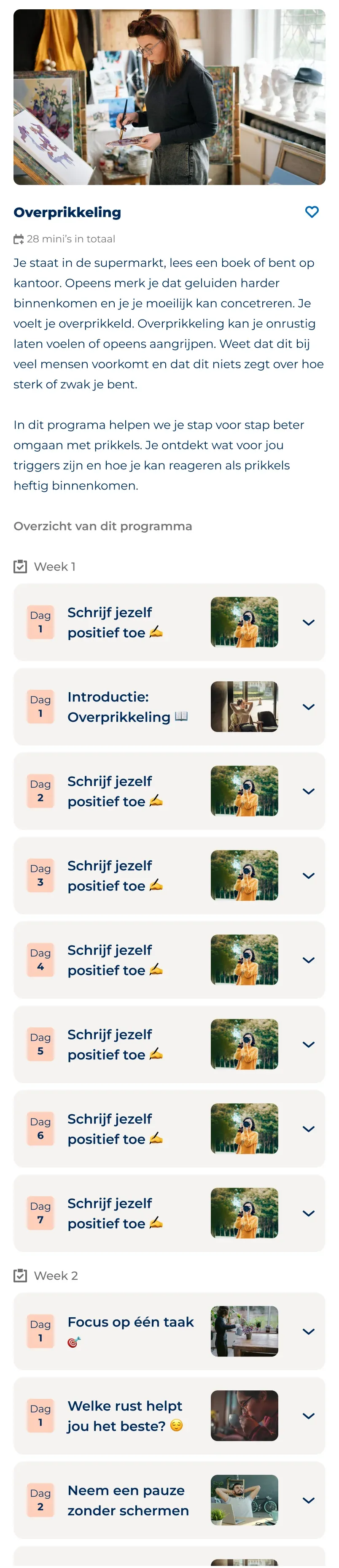
The program detail page grouped the minis by week, with a label above each week and the day numbering restarting at Day 1, so it no longer read as one long list.

Each week had its own theme, but this was introduced in the program's description rather than in the structure of the page, another compromise of building within the challenge framework.

B · Understanding the five-week structure
  1. Week overview. Minis are grouped under each of the five weeks.
  2. Day numbering restarts. Within each new week, the days start again at Day 1.

The screens show the page structure, not final content.

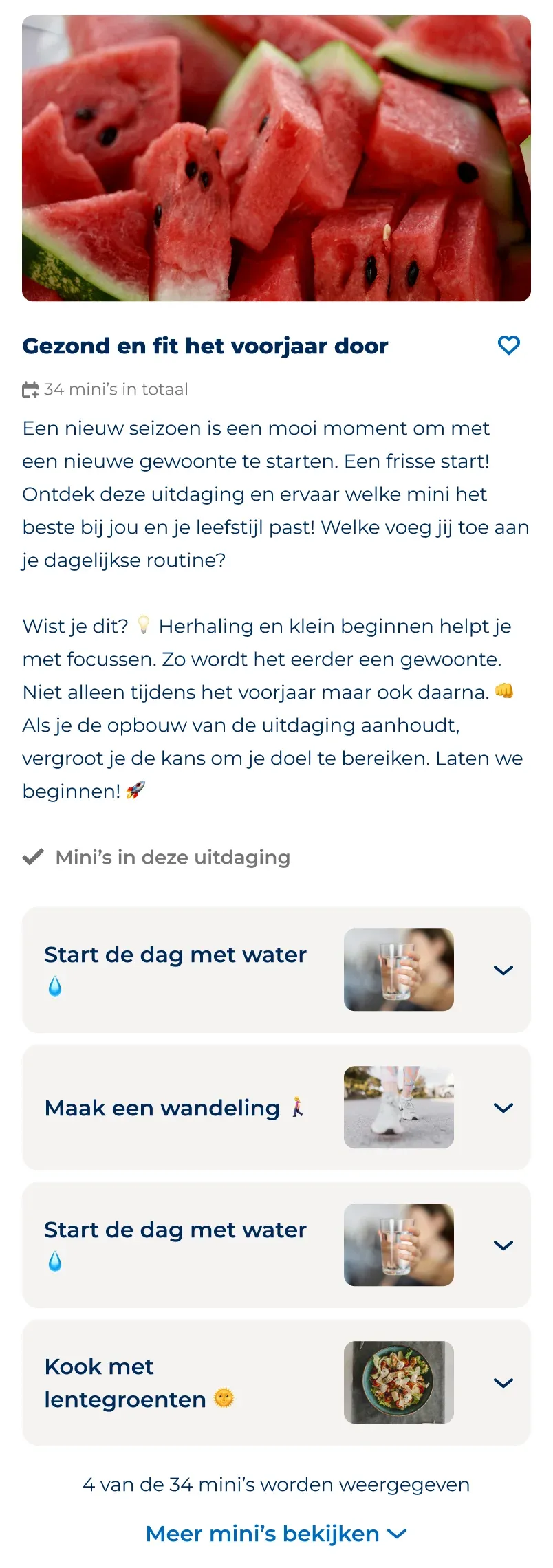
Challenge detail page for Gezond en fit het voorjaar door, with its description, list of minis and Uitdaging starten button.
ChallengeThe existing challenge detail page.
Program detail page for Overprikkeling, with the minis grouped by week and a Programma starten button.
ProgramThe same framework, with minis grouped by week.

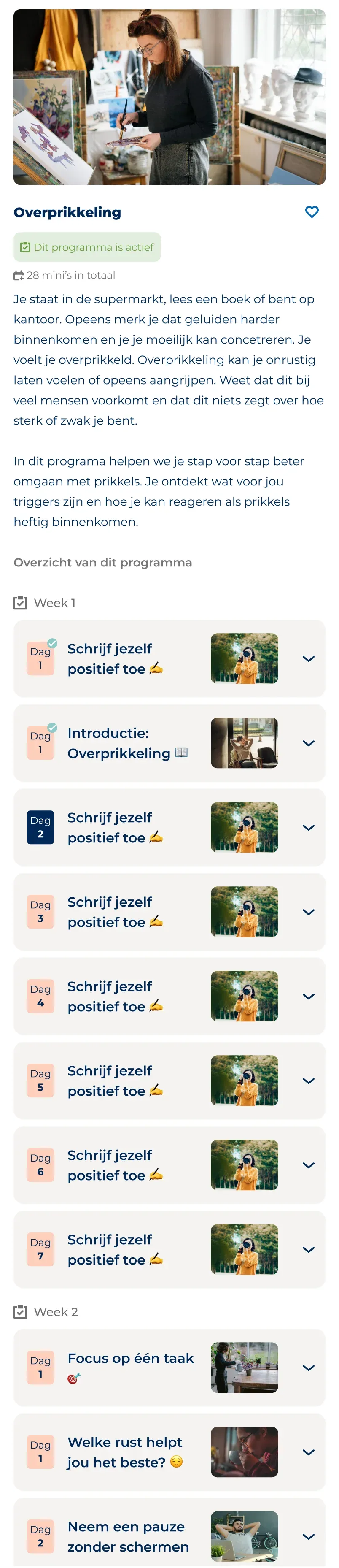
Once a program started, the detail page showed the current day and which minis had been completed. On Explore, an active label distinguished the program the user was following.

C · Following an active program
  1. Current day. The detail page shows which day the user is on.
  2. Completed minis. Minis that have been completed are marked.
Actify Explore page with the Programma's category selected, showing the active Overprikkeling program under Mentale gezondheid.
ExploreThe active label on Explore.
Program detail page for Overprikkeling while active: Day 1 minis checked off and Day 2 highlighted as the current day.
ProgramThe detail page during an active program.

The limits of adaptation

Although the programs retained their five-week structure, they also inherited the behaviour of challenges.

Users couldn't return to previous days or complete missed minis later. Days without activities weren't shown in the overview. Changing these behaviours would have required work beyond the agreed scope.

All seven programs were released using the adapted challenge framework. No usability testing was conducted, so I can't say how well the experience met users' needs.

Reusing an existing feature made it possible to release the programs within the available scope. But it also meant accepting limitations that didn't quite fit the experience we originally had in mind.

It's made me think more about how we build on existing products. Reusing what's already there can be practical, but it can also carry limitations into new features. In the future, I'd like to challenge that more, and question whether building on an existing solution is always the right approach.

The photos in these screens have been replaced with royalty-free images, as the app itself uses licensed stock photography.