WorkMentoren op Zuid · MoZ MonitorMoZ
2 · Graduation project · 2024

Original assignment, crossed out: Redesign the web app.Make feedback part of the mentoring experience.

My graduation assignment at Mentoren op Zuid began with redesigning an existing web application. But investigating how it was used revealed a more fundamental problem: the programme struggled to collect feedback from the mentors and young pupils taking part.

So instead of only improving the interface, I explored how evaluation could become part of the mentoring itself. The result was a concept connecting physical evaluation materials with digital tools for collecting and reviewing feedback.

Role
Product Designer & Developer
Team
Solo, with the programme coordinators as stakeholders
Disciplines
UX Research · UX/UI Design · Service Design · Development
Year
2024
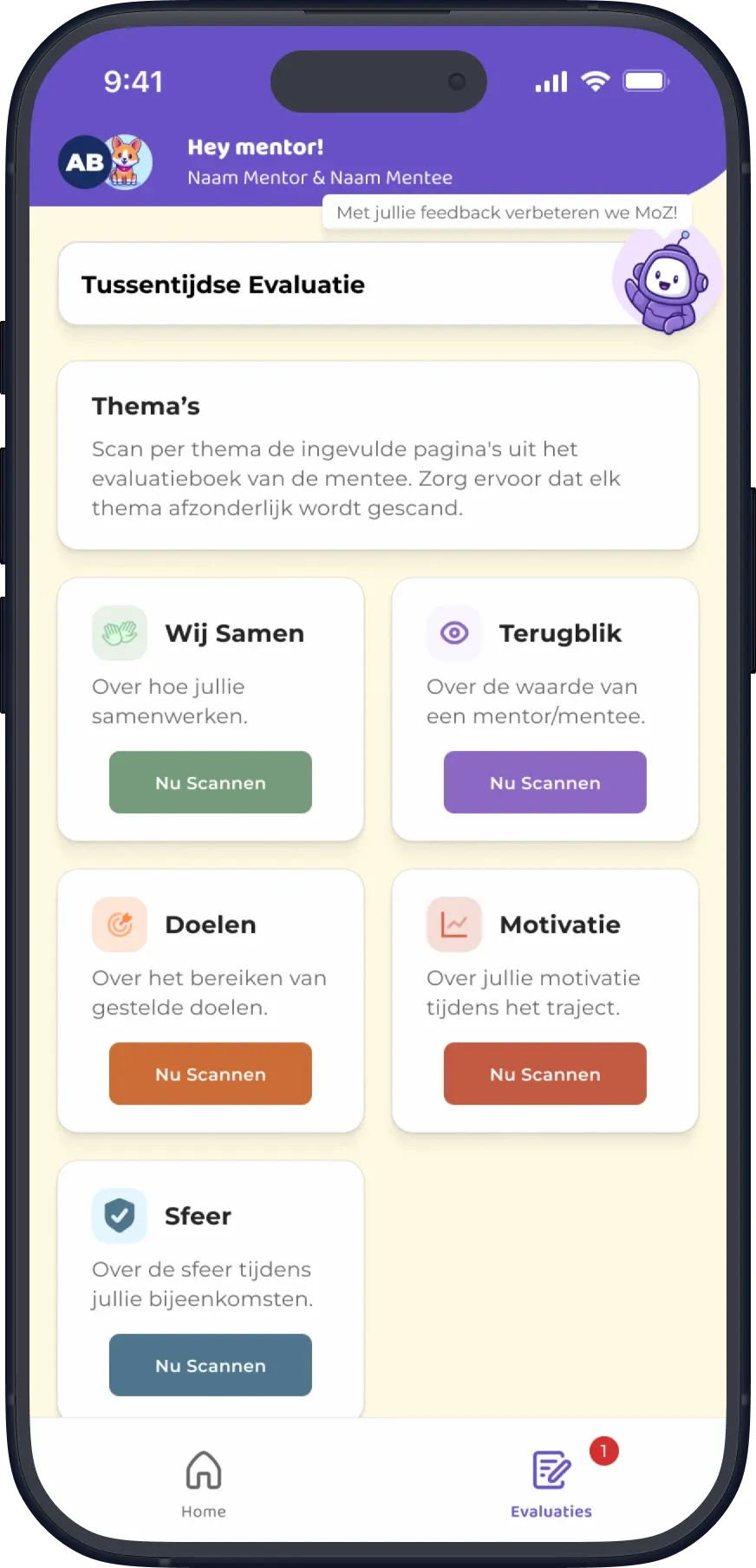
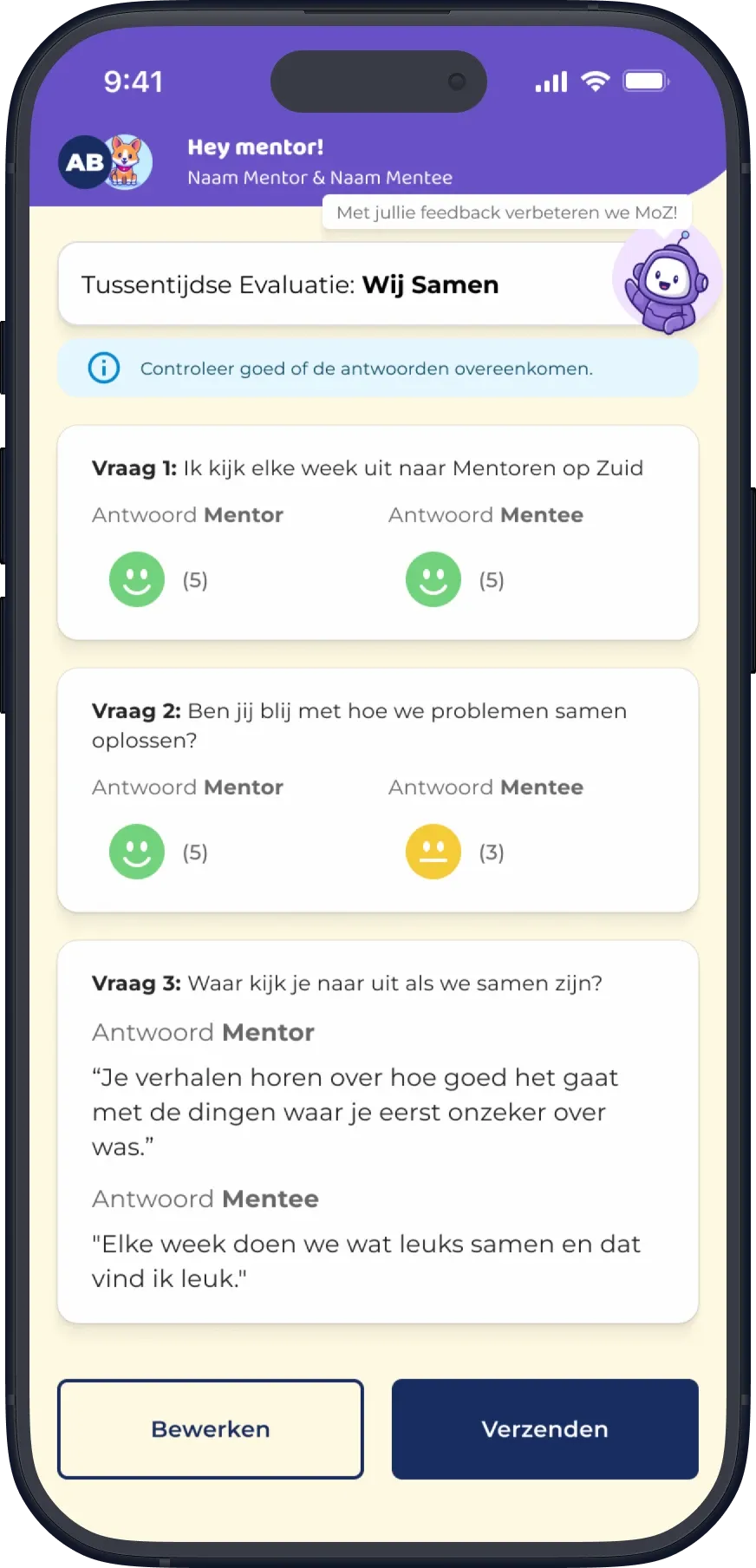
MentorenApp evaluation screen.
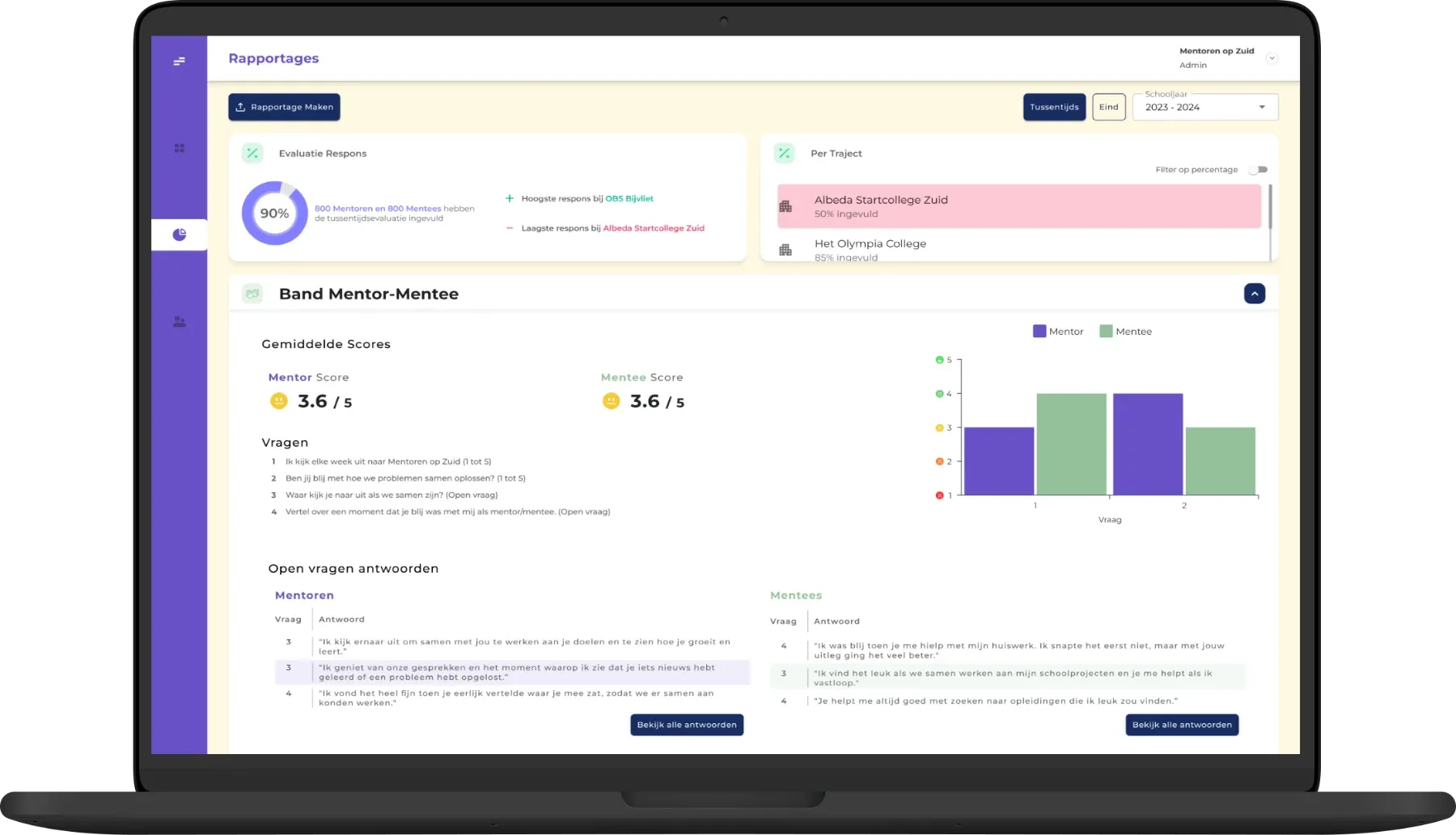
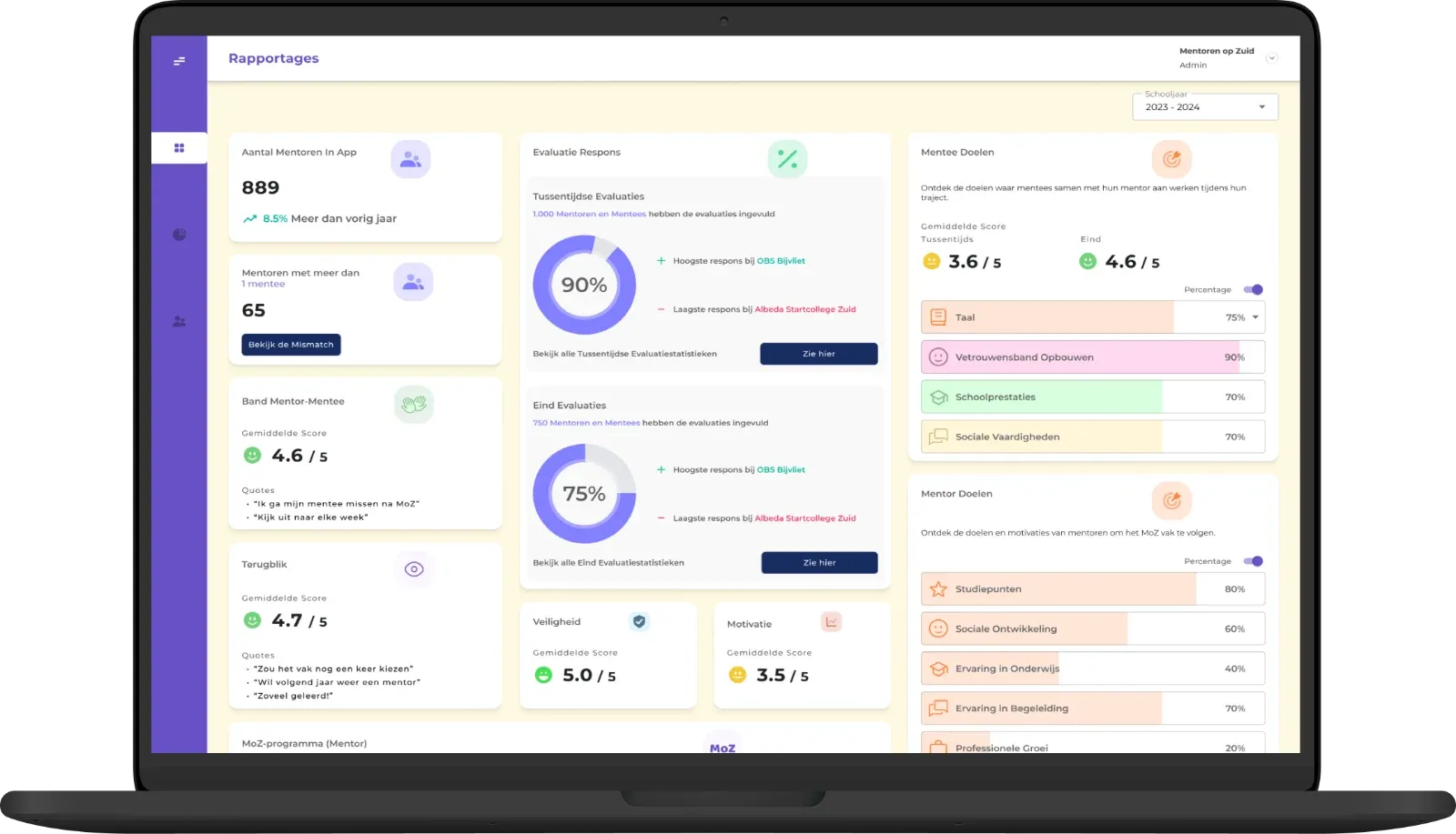
Coordinator dashboard Rapportages page.
MentorenApp · Coordinator dashboard
The problem wasn't just the application

Few evaluations were being completed

Mentoren op Zuid pairs students from vocational colleges and universities with younger pupils in primary and secondary education. Through mentoring sessions, they support pupils' personal development, confidence and school experience.

Evaluations help the organisation understand how participants experience the programme, but relatively few were being completed.

Mentors38.5%1,673 of 4,350 participants completed evaluations.
Mentees5.8%293 of 5,034 participants completed evaluations.
Organisation-provided evaluation participation figures since 2021, documented during the 2024 project.

Research findings

Research into the existing experience showed that different groups faced different barriers.

MentorsMentors found the application difficult to navigate and didn't always see the value of completing evaluations.
MenteesMentees faced additional challenges related to age, language and digital skills, with some participants as young as six.
CoordinatorsFor programme coordinators, the lack of feedback made it harder to understand participants' experiences and identify where the programme could improve.

The starting point

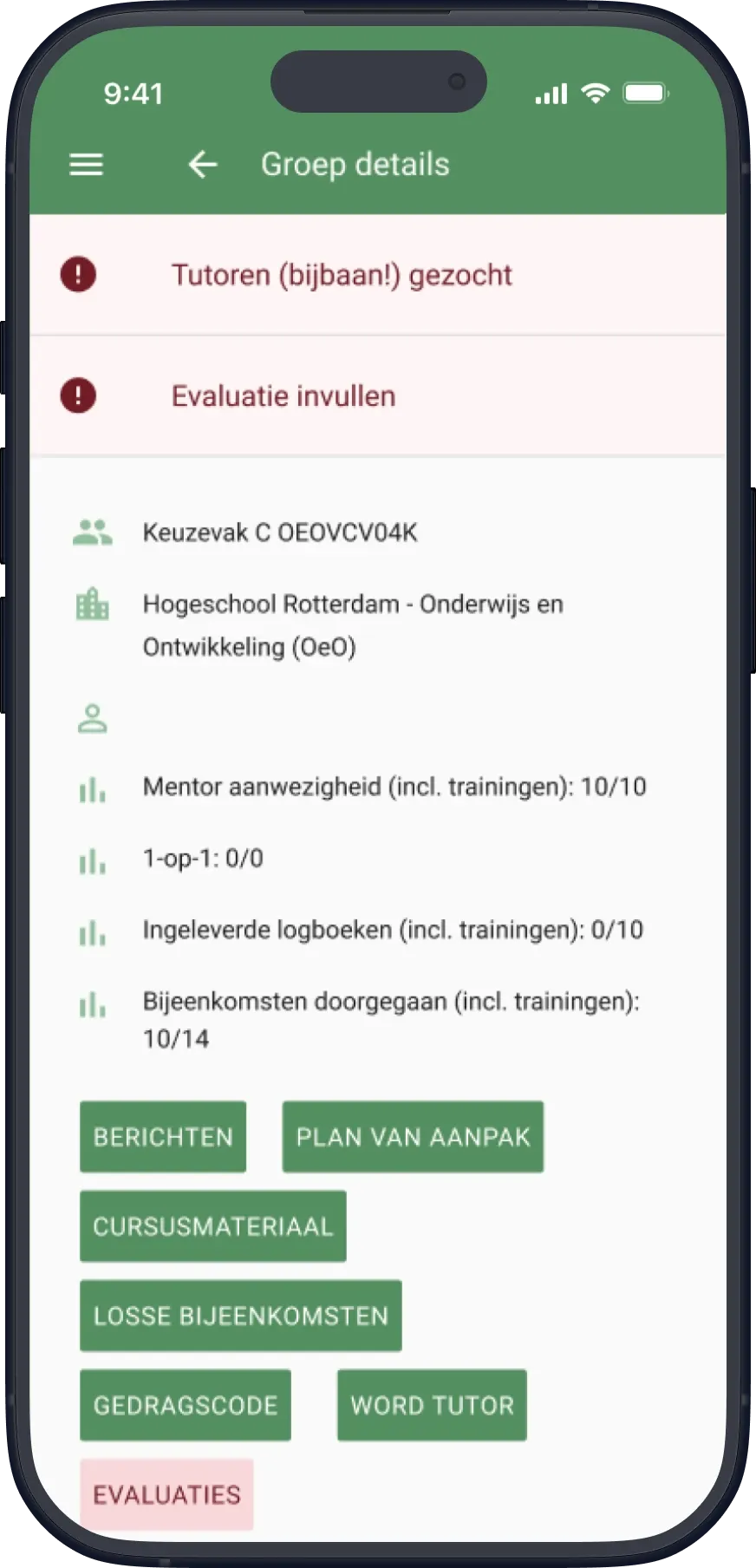
Original MoZ web app: Groep details screen with alerts, group stats and a stack of green buttons.
Original overview.
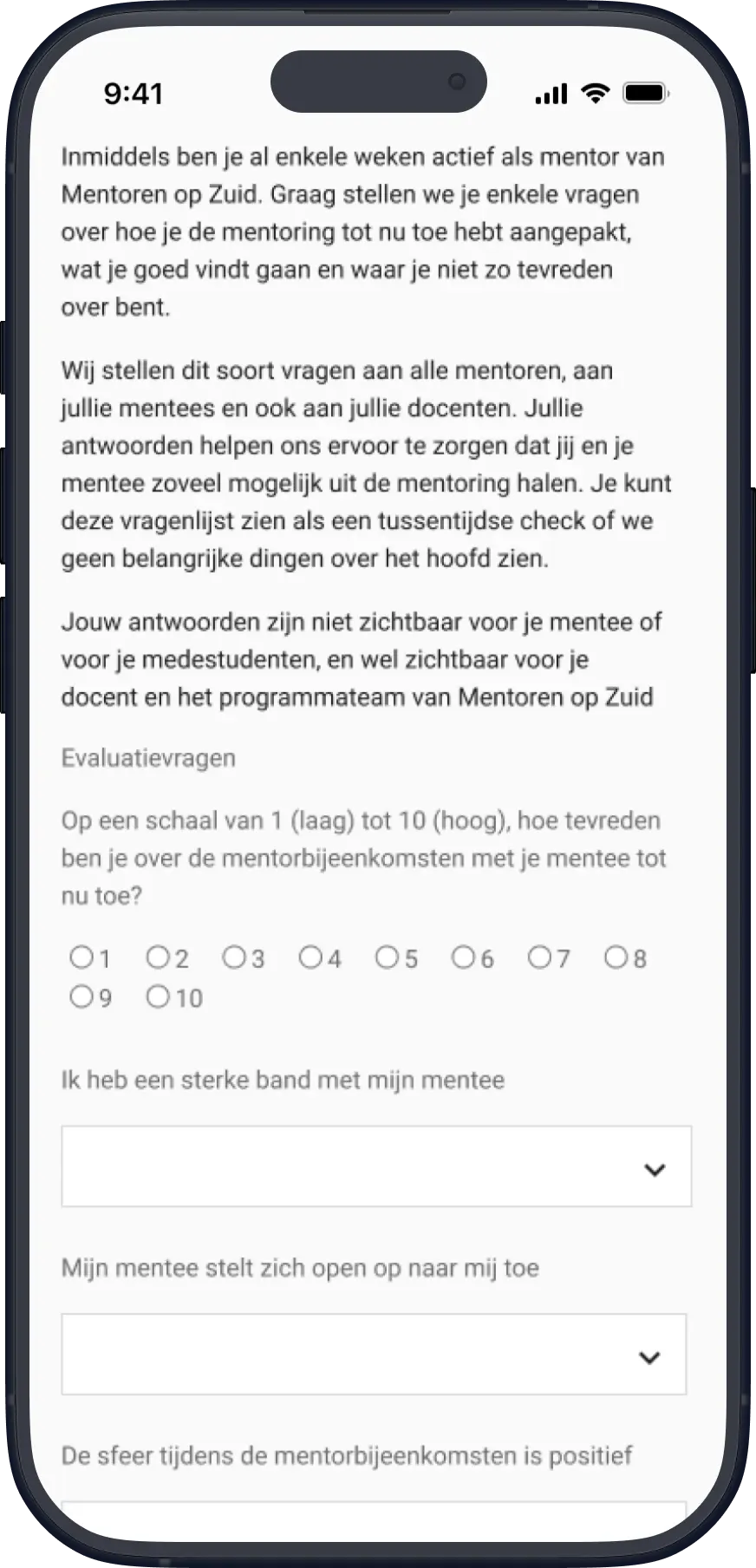
Original MoZ web app: evaluation form with intro text, a 1–10 scale and dropdown questions.
Original evaluation questionnaire.

Redesigning the interface might make it easier to use, but wouldn't necessarily address why people struggled to participate in the first place.

The design challenge shifted from improving an application to making evaluation more accessible within the programme.

Making evaluation part of the conversation

Feedback gathered during the session

During mentoring sessions, I observed mentors and mentees playing games such as UNO while talking. Games were already a familiar part of how they spent time together.

This made me question the assumption behind the existing evaluation process: why ask young students to complete a separate digital questionnaire when feedback could potentially be gathered during the mentoring session itself?

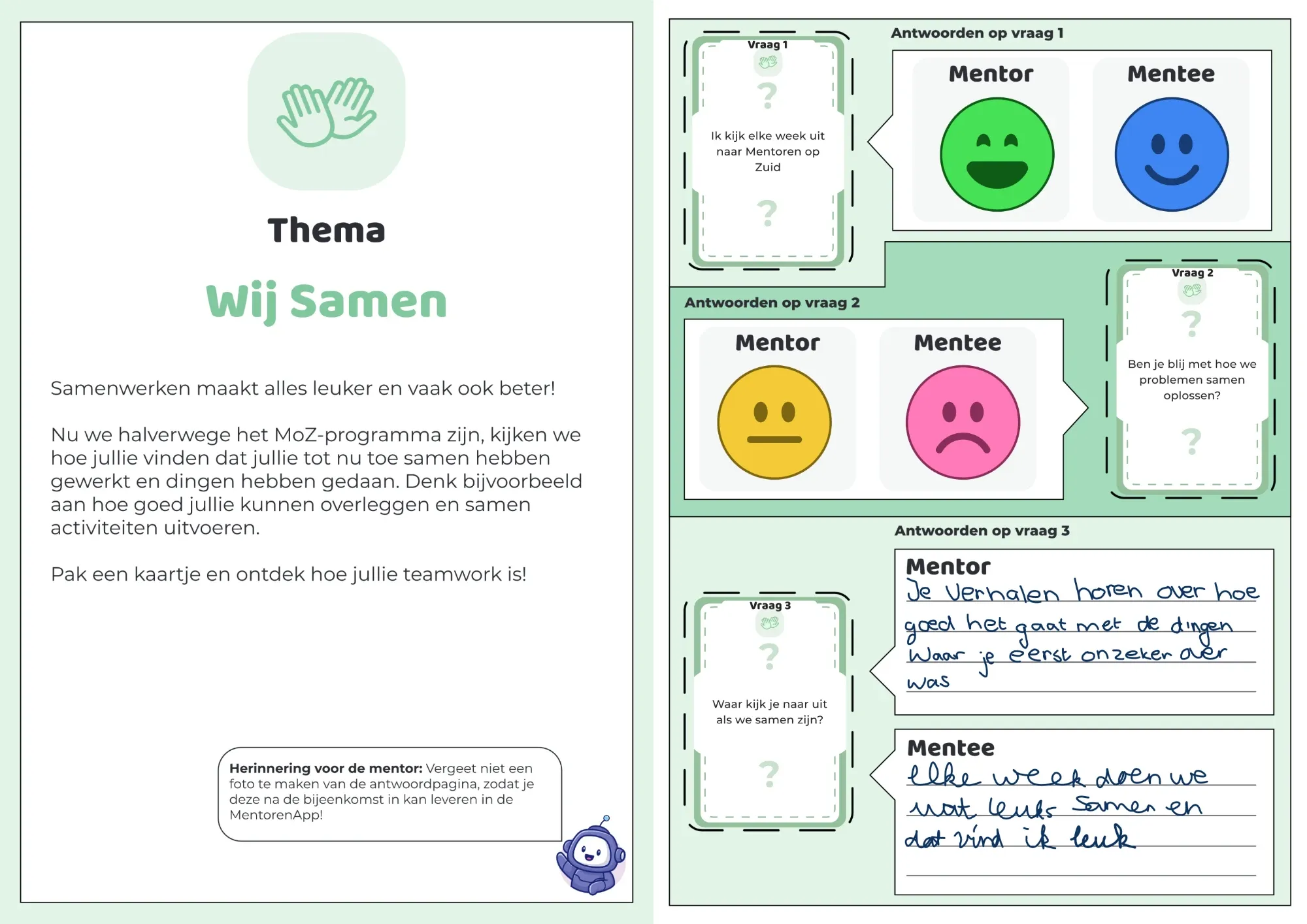
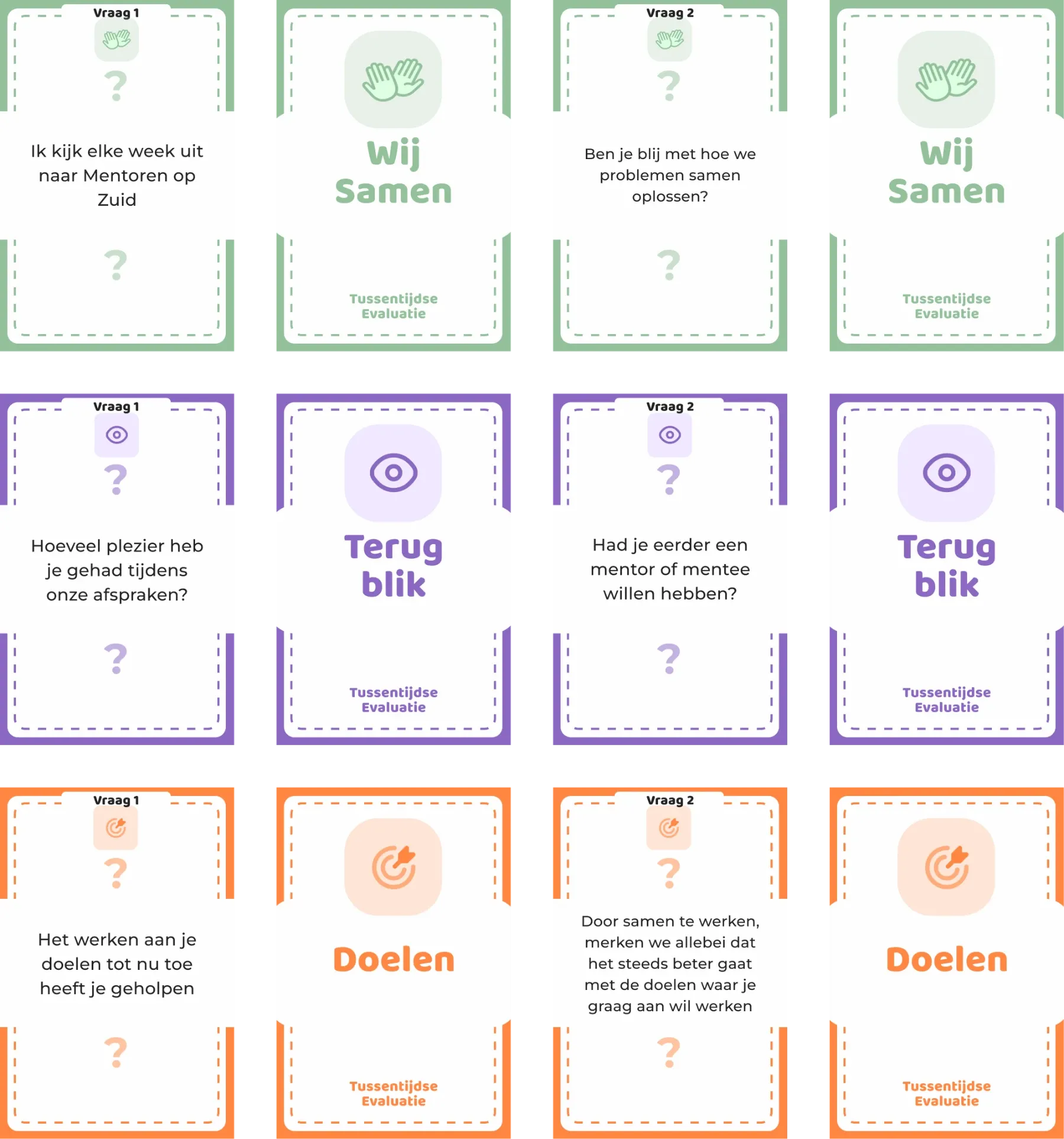
I developed a concept using question cards and a logbook that mentors and mentees could work through together. Young pupils wouldn't have to find their way through an app on their own. The mentor could guide the conversation and write down the answers.

The intention was to make evaluation more accessible while keeping the interaction between mentor and mentee central.

Connecting the touchpoints

The concept was designed to connect with digital tools: mentors would digitise the completed evaluations, allowing coordinators to review the collected feedback.

  1. 01Reflect togetherMentor + mentee · Physical materials
  2. 02Digitise feedbackMentor · MentorenApp
  3. 03Review resultsCoordinator · Dashboard
Connecting the people behind the feedback

Two tools for two kinds of users

The physical activity addressed how feedback could be collected during mentoring sessions. But it also needed to reach the people responsible for using that information.

I designed two digital tools for different needs: a mobile application for mentors and a dashboard for programme coordinators.

Giving the MentorenApp a reason to be used

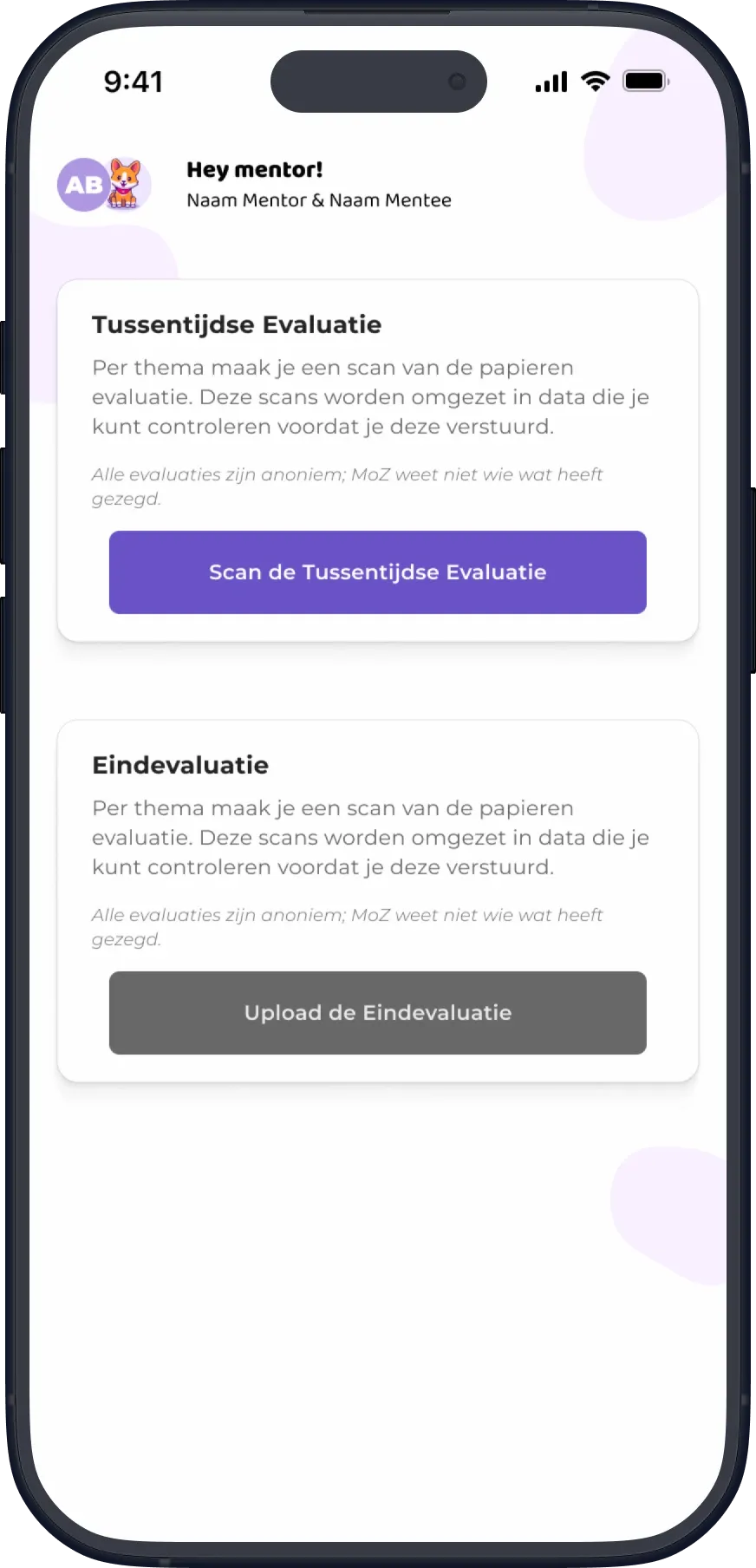
The first MentorenApp prototype focused on submitting evaluations. During testing with mentors, the scanning process was understood, but participants questioned the usefulness of an app dedicated primarily to evaluation.

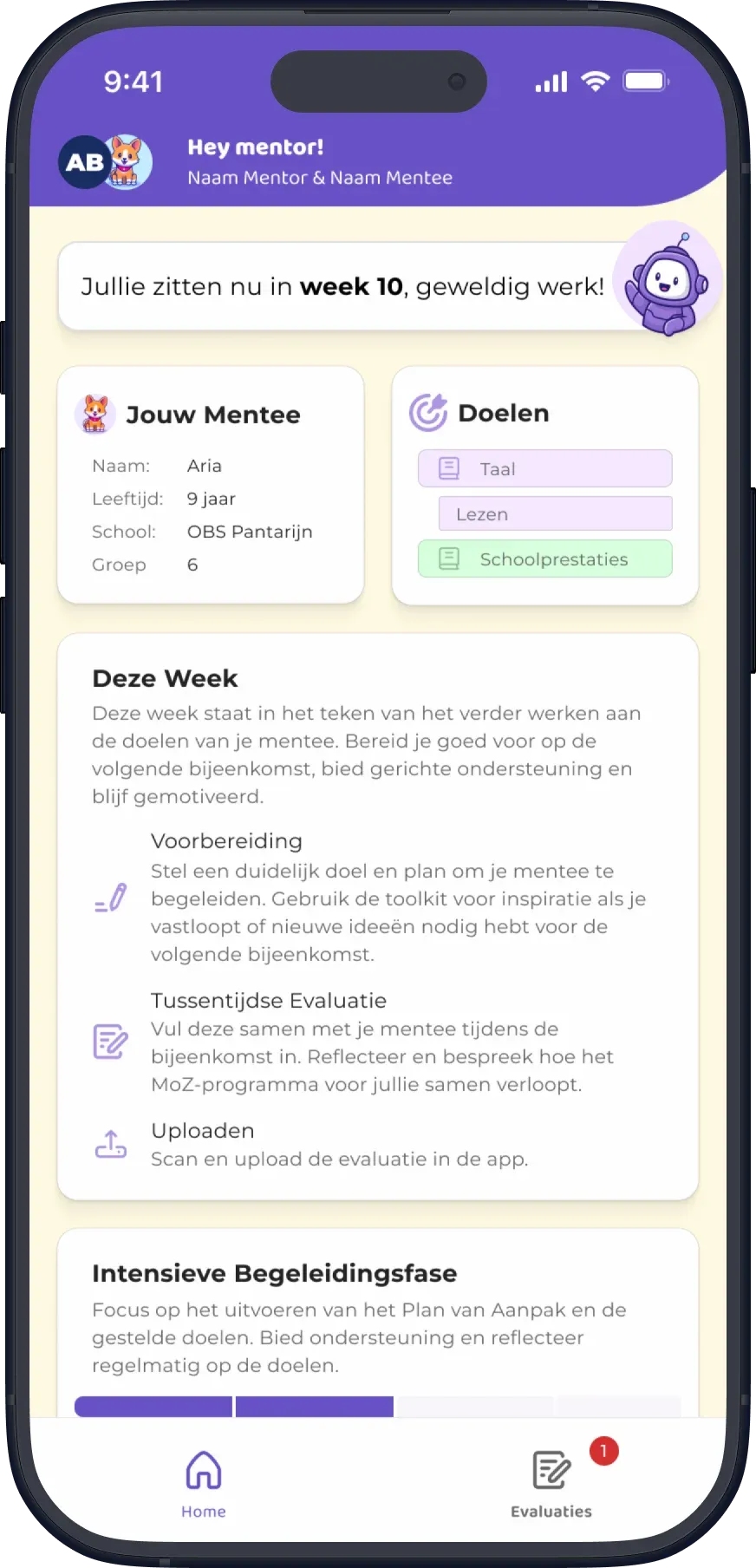
I responded by adding a weekly overview of upcoming activities and responsibilities, giving mentors a reason to use the app beyond submitting feedback. I also simplified the navigation and reorganised the evaluation options.

First MentorenApp prototype with two cards, Tussentijdse Evaluatie and Eindevaluatie, each with a scan or upload button.
Before · First prototypePrimarily focused on submitting evaluations.
Revised MentorenApp prototype home screen with mentee details, goals and this week's tasks.Revised MentorenApp prototype Tussentijdse Evaluatie screen.
After · Revised prototype
  • Weekly overview of upcoming activities and responsibilities
  • Simplified navigation
  • Reorganised evaluation options

Focusing on what coordinators needed most

Coordinators needed insight into the mentoring programme, but they also struggled with how evaluation results were collected and reported.

My initial dashboard explored a broader overview of programme activity. Although coordinators responded positively to the concept, testing brought their frustrations with the existing reporting process to the foreground.

There wasn't time to develop the entire dashboard, so I focused the working prototype on reporting. This allowed coordinators to view evaluation results, examine scores and written answers, and filter information by school, a need raised during testing.

Initial MoZ coordinator dashboard on a laptop, with cards for mentors, bond scores, response rates and goals.
Before · Initial dashboardAn overview of evaluation information.
Revised MoZ coordinator dashboard, the Rapportages page, on a laptop.
After · Revised dashboardGreater emphasis on detailed reporting.
Testing context

Both interfaces were tested as clickable Figma prototypes with their intended users. The findings informed a second iteration of each design, although the revised versions were not tested again within the project's timeframe.

From prototype to working feature

From handwriting to dashboard

Connecting physical evaluations to a digital dashboard meant finding a way to transfer handwritten answers without asking mentors to enter everything manually.

The logbook combined emoji ratings on a scale from one to five with open-ended written responses. My initial design allowed mentors to scan completed pages directly through the MentorenApp's camera.

But while developing the feature, I found that capturing photos inside the web app was cumbersome. The camera preview took up so much space that users had to scroll to reach the capture button. I replaced this interaction with photo upload, allowing mentors to take pictures using their device's camera before uploading them. The logbook also reminded mentors to photograph each completed answer page.

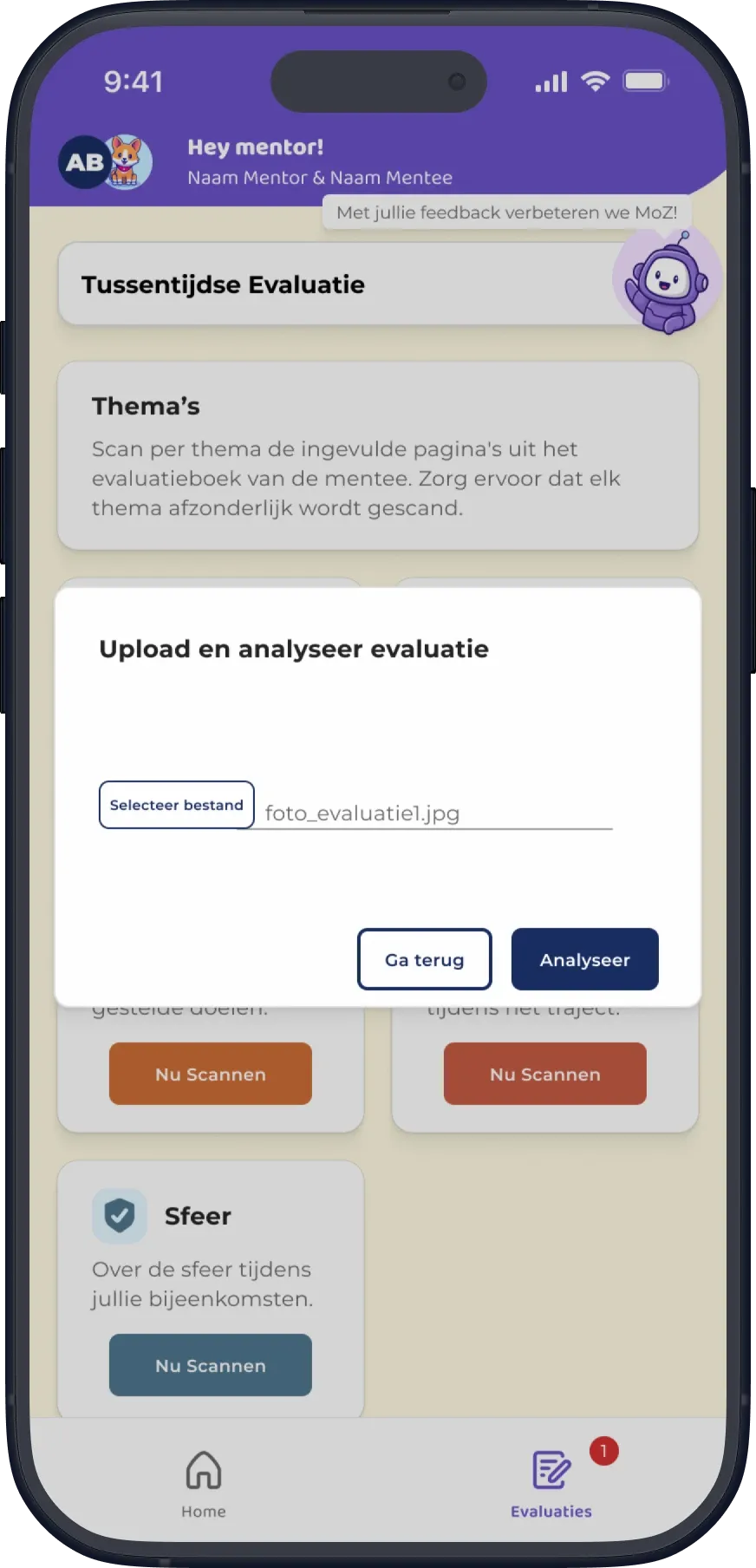
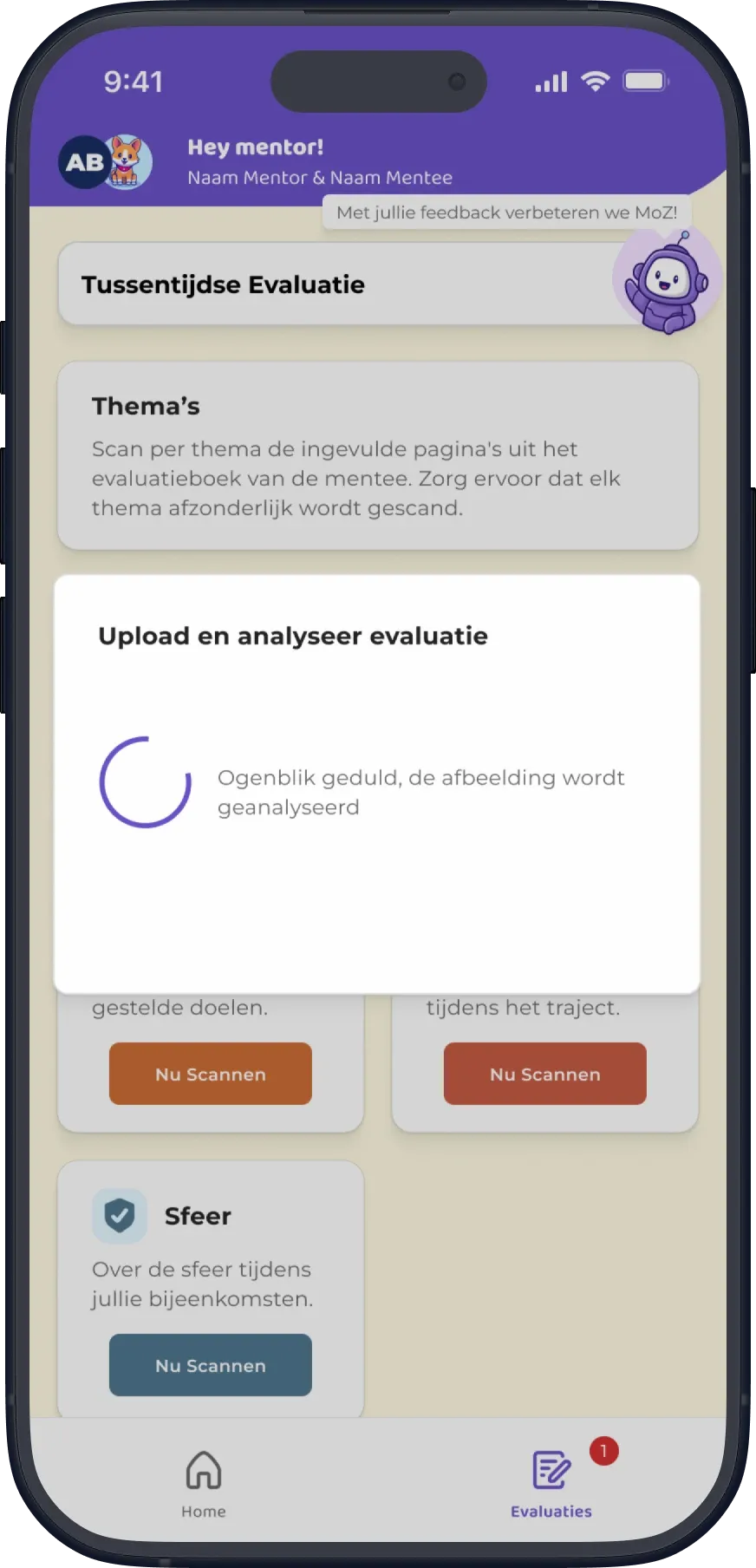
I built a working proof of concept using Azure AI Vision to analyse the uploaded images and extract responses. Recognition wasn't always accurate, particularly when identifying individual emojis in photos of printed pages.

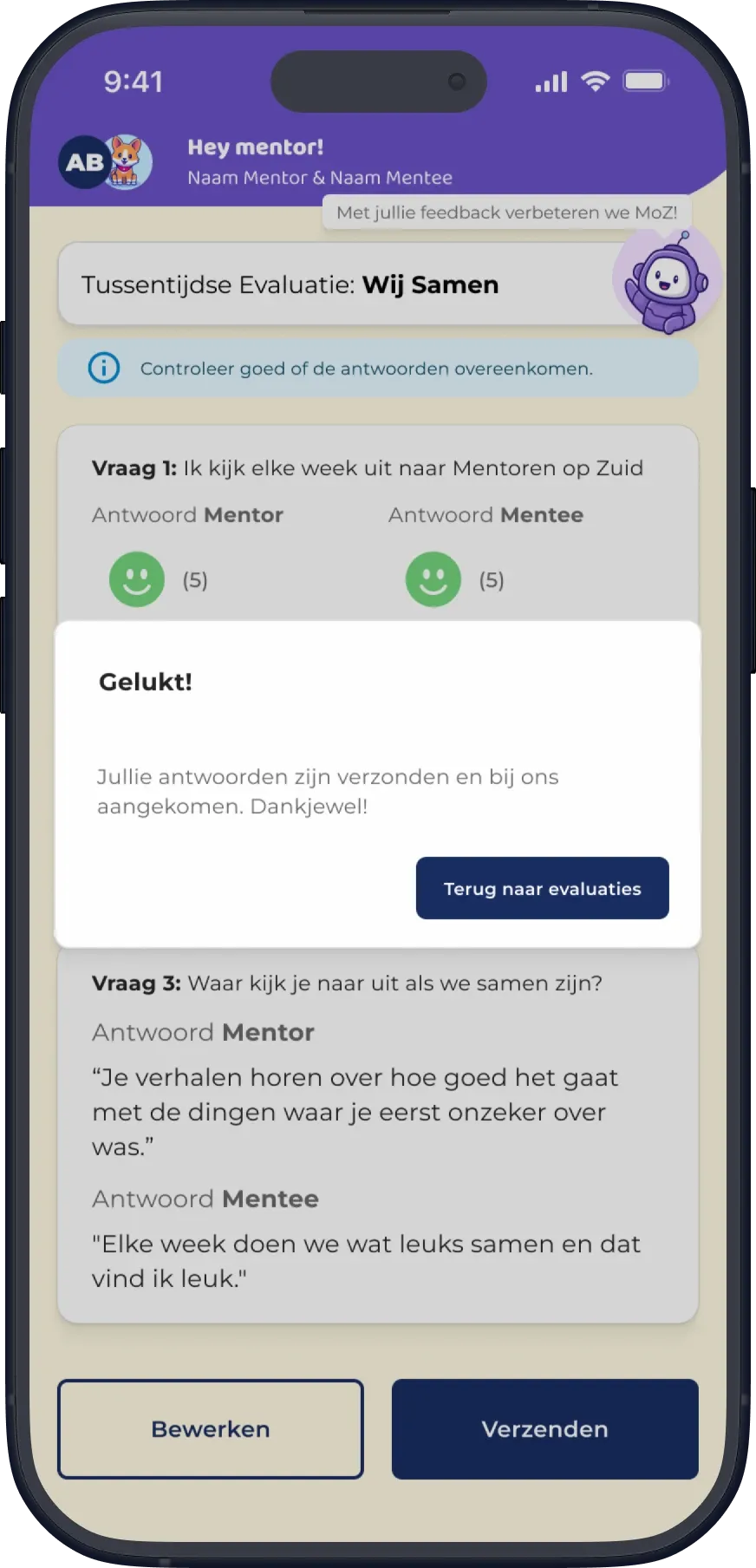
To account for this, mentors could review the recognised answers and correct mistakes when needed before submitting them. Once confirmed, the answers were saved in the database and made available through the dashboard.

The workflow was functional, but recognition accuracy still needed improvement, particularly for emoji ratings captured from printed pages.

01 · UploadAdd a photo of the completed logbook page.

MentorenApp upload dialog with a selected photo and an Analyseer button.
Interface designs for the photo-upload and recognition workflow.
Reflection

Questioning where the problem sits

The application did have usability problems, but a better interface alone wouldn't have solved why so little feedback came in.

Spending time in the mentoring sessions is what changed my approach. It made me look at the relationship between mentors and mentees, not just at what the organisation needed to know.

The proof of concept showed that the digital workflow could work. Whether the physical evaluation activity works in practice is something only a real session can show, and the revised Figma prototypes weren't tested either.

I recommended developing it further with a pedagogical specialist, followed by a pilot during mentoring sessions. The project was presented to Mentoren op Zuid but wasn't implemented.

The biggest lesson I took from the project was the importance of questioning where a problem actually sits before deciding what to redesign.