WorkActify · PuzzlesActify
1.3

Making puzzles part of Actify

Integrating daily puzzles into Actify's existing activities and challenges, with a new mini variant and automatic completion when a puzzle is solved.

Role
UX/UI Designer
Team
Product owner and two marketers, with external developers and a business analyst
Focus
Puzzle mini, automatic completion and discovery
Year
2025–2026
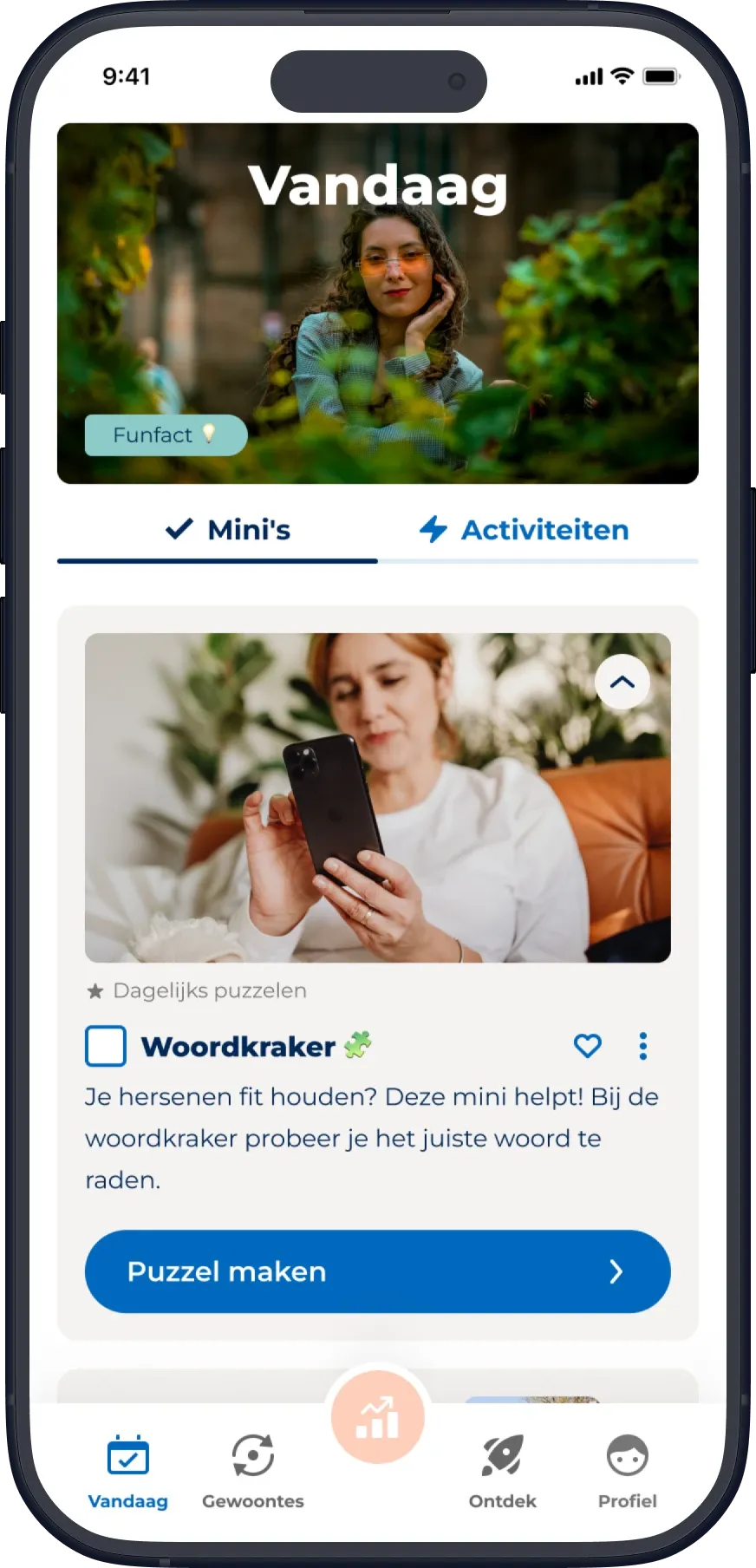
Actify Today screen with the expanded puzzle mini.
A new kind of activity

Bringing puzzles into an existing product

Actify helps users work on healthier habits through small daily activities, known as minis, and longer challenges.

As part of a collaboration with a partner, we introduced puzzles as another way for users to engage with the app. The puzzles offered an opportunity to bring relaxation and cognitive activity into Actify's broader health and lifestyle offering.

The puzzle-playing experience itself was provided by the partner. My role was to design how users would encounter and use it within Actify.

Puzzles became part of the existing minis and challenges, not a separate product. This meant considering how users would start a puzzle, return to one they hadn't finished, and recognise completion within Actify.

Making completion feel complete

When finishing the puzzle finishes the mini

Actify's regular minis are completed manually. Users do an activity and then mark it as done.

Puzzles are different. The puzzle already knows when someone has solved it.

I proposed that completing a puzzle should automatically complete its corresponding mini in Actify. Asking users to return and check it off themselves would add an unnecessary step after they had already finished the activity.

The approach was discussed with the team, accepted and implemented.

Regular miniDo the activity, then mark it as done
Puzzle miniSolving the puzzle checks off the mini
Designing for different puzzle statesThe same mini on the Today page, in three states.
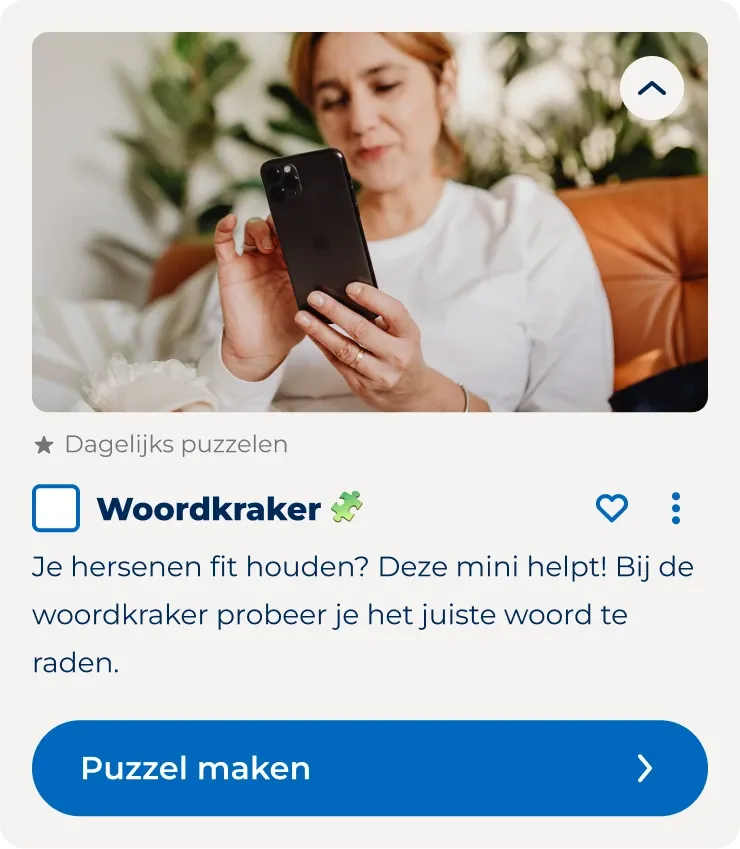
1Not started
Woordkraker puzzle mini, not started: empty checkbox and a Puzzel maken button.
Puzzel makenThe mini invites someone to begin.
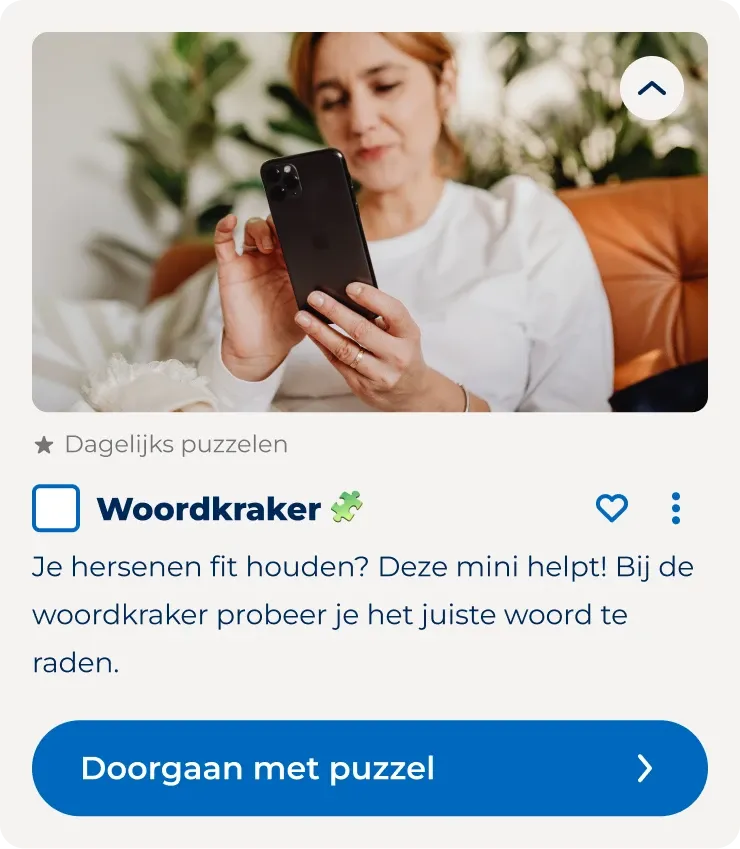
2In progress
Woordkraker puzzle mini, in progress: empty checkbox and a Doorgaan met puzzel button.
Doorgaan met puzzelIf someone leaves before finishing, the same mini lets them continue where they left off.
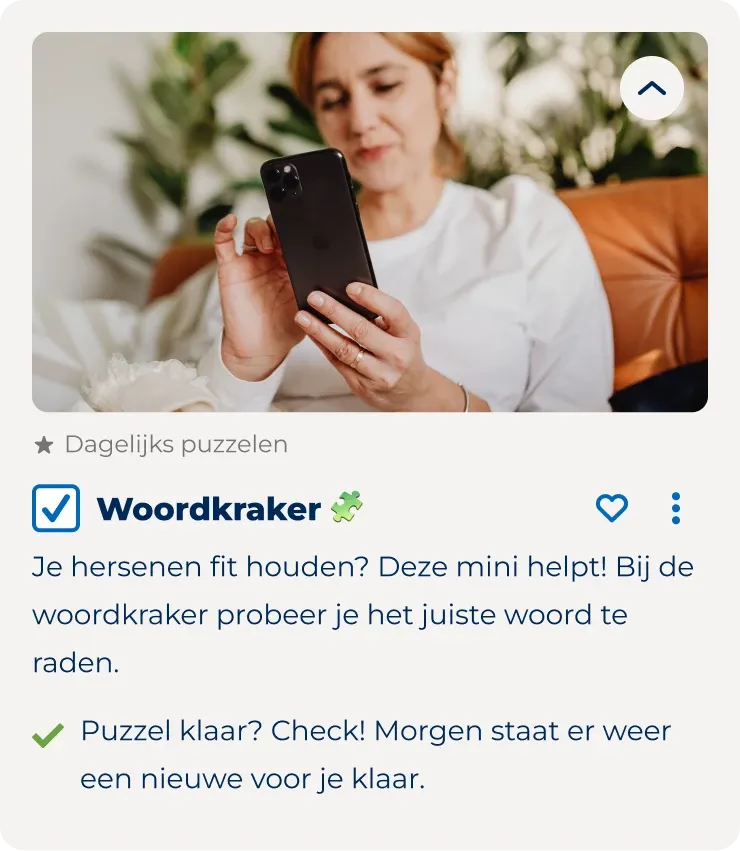
3Completed
Woordkraker puzzle mini, completed: checked checkbox and the message Puzzel klaar? Check!
Checked off automaticallyOnce the puzzle is solved, the mini is checked off and its action says a new puzzle will be available tomorrow.

The partner's puzzle environment also displays a completion message with an option to return to Actify. Back on the Today page, Actify uses its existing notification behaviour to acknowledge completion.

These states help the puzzle feel like part of Actify's daily activity system rather than a disconnected destination.

Working across two interfaces

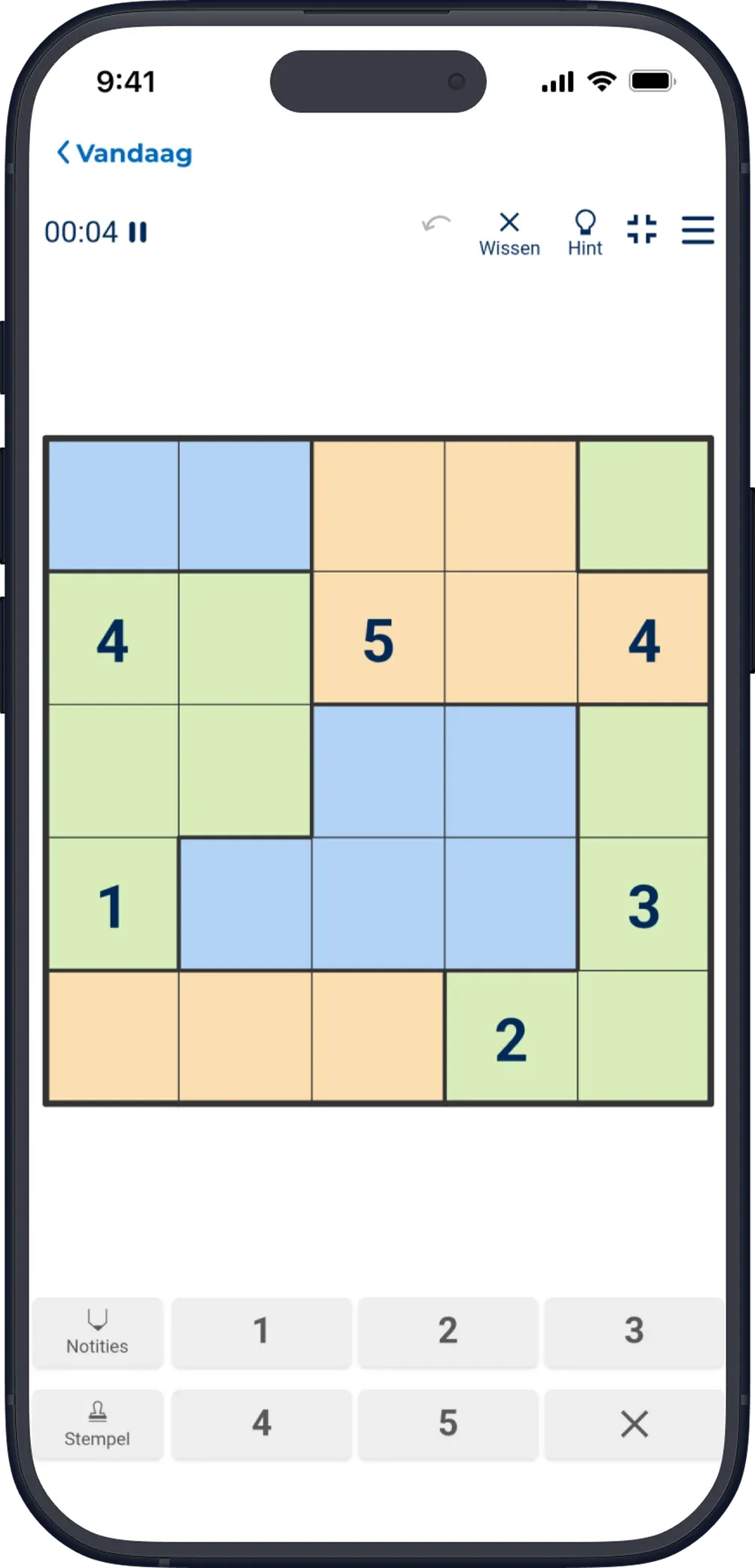
Tapping the mini opens the puzzle in an in-app browser.

Actify provides the navigation back to the Today page, while the partner provides the puzzle interface, including its controls, timer and gameplay.

The integration needed to connect these two environments without requiring users to understand where one system ended and the other began.

A number puzzle open in an in-app browser inside Actify, with a timer, a coloured grid and a number pad.
The puzzle interface, opened in an in-app browser inside Actify.
Actify
  • Puzzle mini and its states
  • Automatic completion
  • Navigation back to Today
  • Completion notification (existing)
Puzzle connection
  • Puzzle interface and gameplay
  • Controls and timer
  • Success message
Making puzzles easier to find

Beyond the individual mini

Puzzle minis could be used in several parts of Actify: as standalone activities, within challenges, and on selected days of habit programs.

Standalone minis could be added to the Today page through Explore, while challenges offered a structured series of activities over several days.

As more puzzle-related challenges were introduced, finding them became increasingly important. At the time, users often had to search for a specific challenge by name.

The product team proposed a dedicated puzzle page to bring these challenges together. I designed the related changes to Explore, including an updated category navigation, as part of a broader update that also introduced programs.

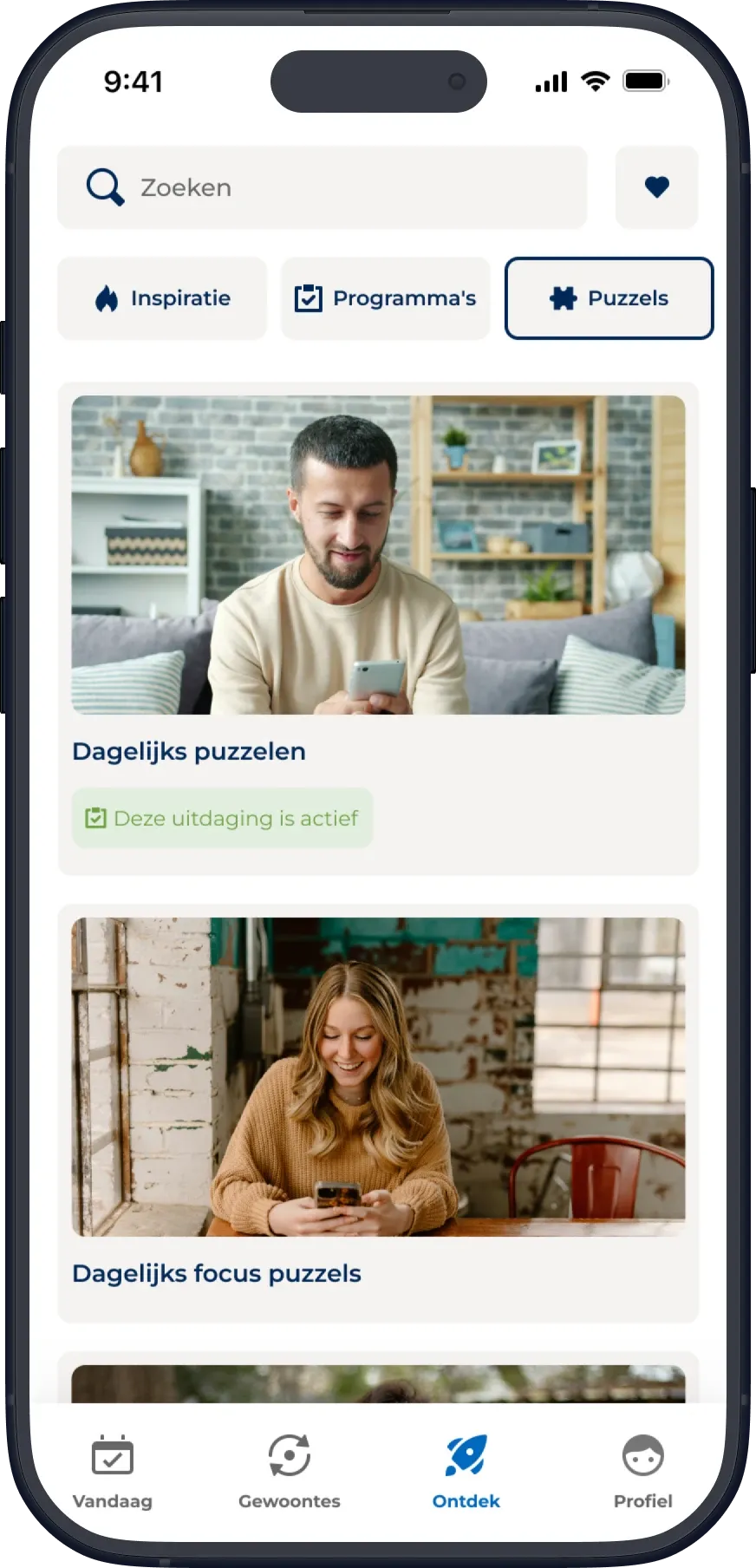
Actify Explore page with the Puzzels category selected, showing two daily puzzle challenges.
Finding puzzle challenges in Explore

The updated category navigation, with puzzles as one of the categories. Selecting it brings puzzle-related challenges together on one page.

This gave puzzle-related content a more visible place within Actify's existing structure.

Closing reflection

Designing within what already exists

Adding something new to a product doesn't always mean new components or a separate user journey.

Here, the most useful design work was in the connections. An existing interaction behaves differently when the context calls for it, and users move between two experiences without extra steps.

The released integration had its limits too. Daily puzzles were tied to the existing mini structure, and users couldn't revisit completed puzzles in Actify.

Within that scope, I focused on making the journey from starting a puzzle to completing its mini feel like one continuous flow.

The integration design was not formally usability-tested.

The photos in these screens have been replaced with royalty-free images, as the app itself uses licensed stock photography.